How it works
From a failing check to a healthy system
The loop runs on its own, and stays inside the limits you set. Here is what happens between the alert and the all-clear.
- 01
Watch from everywhere
Ponos checks your endpoints from several regions, as often as every 30 seconds. For each one it learns what normal looks like: typical latency, error rate, and status codes. That baseline is what lets it tell a real problem from ordinary noise.
- 02
Detect the regression and its cause
When health drops below the learned baseline, Ponos confirms it is a genuine regression, then correlates the timing with your recent deploys, config changes and feature flags to identify the most likely trigger. You get the cause, not just a red light.
- 03
Act, within your guardrails
If a deploy is responsible, Ponos can roll it back, or run a recovery workflow you built on the canvas. It only ever takes actions you have explicitly allowed, asks for confirmation on the risky ones, and records everything it does.
- 04
Confirm and report
After acting, Ponos verifies that health has actually recovered, updates your status page, notifies your team, and drafts a postmortem with the full timeline so the writeup is ready before the adrenaline wears off.
Visual workflows
Own your post-deploy steps on a canvas
Recovery is only half of it. Ponos lets you design the whole post-deploy flow visually, so the automation that keeps you up is something your whole team can read, change, and trust.
Build it by dragging, not scripting
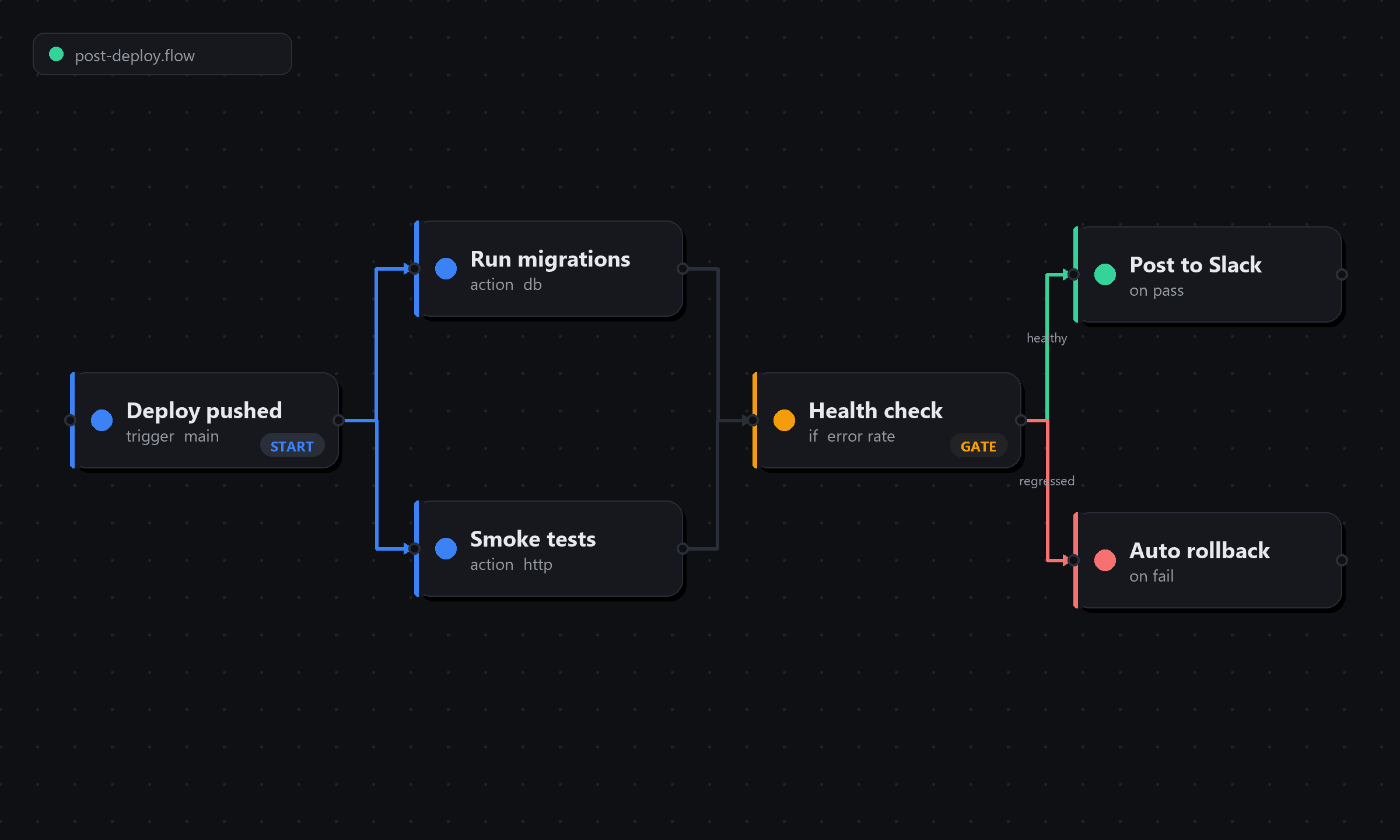
Wire up what happens after a deploy on a visual canvas: run migrations, warm caches, hit smoke tests, notify the team. No YAML to babysit.
Branch on real health
Add a health gate and the flow splits on live signals. Healthy goes one way, a regression triggers the rollback path automatically.
See what actually ran
As AI writes more of your code, the deploy step is where visibility slips. The canvas shows every action, in order, with its result.
Ready to see it live?
Start monitoring your own services, or book a walkthrough with us.